


Table of Contents
If you’re researching internal tools development, you probably already know your team needs something better than the spreadsheets, manual handoffs, and patchwork of SaaS tools it runs on today. Or you know that the internal system you already have no longer fits how your business operates. Either way, you need to decide whether to modernize what you have or build something new.
The problem is that most guides on this topic are written for the person who will build the tool, usually a developer or a “citizen developer” working in the drag-and-drop interfaces of low-code and no-code platforms. They don’t help much if you’re the business owner or operations leader who has to approve the budget and choose who builds the tool.
At Twin Sun, we’ve seen how the right development approach can change what a business spends on its software. Which approach fits your team typically depends on a few key factors:
How closely the tool needs to fit your workflow, including exceptions that standard software may struggle to accommodate
What you’re starting from, whether that’s a legacy system you need to migrate, vendor software you’ve outgrown, or a prototype someone built with AI
Which existing systems it needs to connect with and how information moves between them
Who will use it and what they need access to, from office staff to employees working in the field
Your budget and available technical resources, including who will maintain the tool after launch
This guide will help you decide whether to improve your existing system, use a low-code internal tool builder, or pursue custom development with an experienced development partner. We’ll explain how to scope the work, assess technical unknowns, review progress during development, and roll out a tool your team can use long term.
Need help modernizing an internal system or building a new one? Twin Sun has done both for growing companies. For Recycle Now, we resolved performance issues in their worker-management platform in three weeks and cut AWS costs by 95%, without the full rebuild other agencies had recommended. Contact us to talk through your options.
How to choose an internal tools development approach
Internal tools development means building or improving the software employees use to run the business. This includes dashboards that flag overdue orders, admin panels for updating customer accounts, approval portals for purchase requests, or field apps where drivers log deliveries.
Customers never see these tools. They might place an order on your website, but employees rely on internal software to route that order and resolve issues behind the scenes.
Most teams either configure software they already have or build something new, on a low-code platform or by investing in custom development. The right choice comes down to how well each option handles your integrations and the day-to-day conditions your team works in.
When existing software or a low-code platform is enough
If your needs are fairly standard, software you already pay for or an off-the-shelf product may be enough. When it isn’t, a low-code platform like Retool, WeWeb, or Appsmith lets you assemble a tool from prebuilt components such as tables and forms, then connect it to your data and add custom logic where needed.
No-code development goes a step further by letting you build without writing code, which works for simple tools but can limit how far they can grow.
These options work best when your requirements are clear and contained. For example, a team might need employees to request time off and managers to approve it from a shared calendar.
Approval workflows for purchases can get more complicated. Requests above a certain amount may need a second approver, approved orders have to be sent to the accounting system, and each department follows its own purchasing rules.
Many off-the-shelf products can handle each of these requirements on its own. What you need to confirm is whether one product supports all of them together, on the devices your employees use, at a cost that still makes sense as more people rely on it.
Low-code tools also run into scalability limits and get harder to maintain as they take on more responsibility. Complex rules typically require custom code inside the platform, which ties your tool even more closely to a vendor you’d have to rebuild around if you ever switch.
When custom development makes sense
Custom development is worth considering when the software you rely on no longer fits how your business operates and existing products can’t reasonably accommodate the changes you need.
At Twin Sun, many of the internal tool projects we take on start with a system that still works but creates constant friction, like an old Access database the team has outgrown or vendor software that forces employees to bend their processes around it.
Eventually, the workarounds cost more time than the software saves. You’ve likely reached that point if:
Employees enter the same information in multiple systems because the tools don’t share data.
Important steps happen outside the software, in spreadsheets, texts, or emails, and someone has to re-enter them later.
Only one person knows how to update the system or pull a report, so work stalls when they’re unavailable.
If these sound familiar, walk us through your current system. We’ll tell you whether a targeted fix is enough or a new build makes more sense. Contact us today.
Custom development also makes the most sense when you need to connect systems or support processes that available products don’t handle well. For example, we’re currently developing an internal tool for a fuel-delivery business to help dispatchers coordinate work with drivers as they fill up and complete deliveries. Many of the available dispatch tools didn’t offer the workflow automation the company’s delivery process required or a way to integrate with the systems it already uses.
You don’t need a finished specification before talking to a development partner. When a new client comes to us, we start by having the people who run the current system walk us through how it works, what frustrates them, and which outside systems it needs to connect with. From there, we help you decide what to keep, what to replace, and what the first version needs to include.
If you’re still unsure which approach fits, use the factors below to assess whether existing software can meet your needs or custom development is worth exploring.
| Factor | Existing software or low-code | Custom development |
|---|---|---|
| Existing systems and integrations | The product supports the systems and data flows you need | Required connections or changes exceed what available products can reasonably support |
| Employee requirements | The product supports employees’ devices, access requirements, and working conditions | Employees have requirements that available products cannot reasonably accommodate |
| Ongoing maintenance | Your team or a partner can maintain the tool within the platform | Your business can commit resources to ongoing development and support |
AI coding tools like Claude Code, Cursor, and Lovable have also changed the way many projects begin. More clients than ever now come to us with a prototype they built through vibe coding instead of a list of features. The prototype shows exactly how they want the tool to work and gives us something concrete to scope and quote from.
Still, a prototype that works in a demo usually hasn’t accounted for role-based access control, real data, or connections to your other systems, so it needs a technical assessment before your team relies on it. Twin Sun can review an AI-built prototype and tell you which parts are ready to use and which need rework before you commit to a full build.
How to build an internal tool (step by step)
Development starts with understanding how the work happens today and agreeing on what the software needs to improve.
Below are the steps we follow at Twin Sun on internal tool projects, from the first conversation through launch and ongoing support.
1. Walk through the current process with the people doing the work
The best place to start is with the employees who use the current system every day. Many teams make the mistake of gathering requirements only from the managers who oversee the process, but employees are the ones who know the exceptions and workarounds that never made it into a process document.
For a financial data company that supplies compliance data to banks, we identified every manual task its product staff and developers handled to keep internal systems running, then automated that work so operations now run largely on their own. Tasks like these rarely show up in a process document, which is why the people doing them need to be part of the conversation early.
Understanding employees’ needs helps you prioritize features that solve real day-to-day problems. DORA research found that teams focused on users had 40% higher organizational performance, reinforcing the value of involving employees early and using their feedback to guide development.
2. Define the scope and investigate technical unknowns
Once you understand how the work gets done today, the next step is turning that knowledge into a defined scope. That means deciding which parts of the current system can stay, which need to change, and which outside systems the tool has to connect with.
Some of that work is relatively predictable. At Twin Sun, for example, we’ve implemented user authentication repeatedly, which gives us a reliable basis for estimating that work.
However, other work can be unpredictable, like integration with a vendor that won’t share its API documentation until a contract is signed. We document those assumptions so clients understand what could affect the scope or cost.
For example, CareNexus wanted to add e-prescribing to its clinical customer relationship management (CRM) system, which runs on GoHighLevel. Before building anything, we researched both GoHighLevel and the DoseSpot API to see what the integration could support.
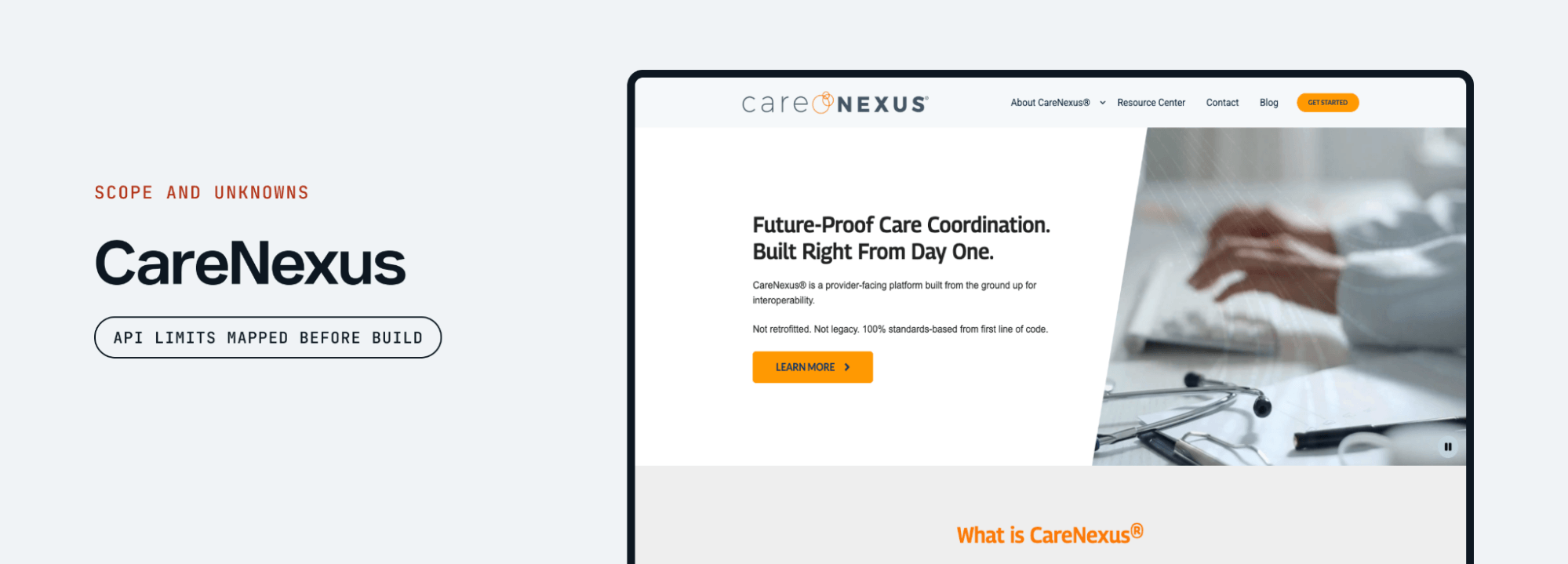
Some features couldn’t work exactly as the client first imagined, so we explained the limits and proposed another way to get there. We added a custom button that opens the prescribing portal right on the patient detail page, so providers kept the process they needed without fighting the platform.
Before you move forward, your scope should separate confirmed requirements from assumptions that still need testing. It should also explain how any open questions could change the estimate.
3. Review a prototype and agree on the first release
Once the client and the employees who’ll use the tool can click through a prototype, gaps and disagreements come to the surface quickly. It’s far cheaper to resolve those issues at this stage than after development starts.
For new builds, our designer at Twin Sun leads this part of the process. She starts by learning what the client really wants and how the tool should feel to use, then creates a design system and clickable wireframes or prototypes, usually over about two weeks.
By the end of this phase, our developers can start building right away, and the client has a clear picture of what’s coming. If the client brought a prototype made with an AI app builder, this is also when we assess what can be kept and what still needs work.
When you review the prototype, include the employees who will use the tool every day, not just the people approving the project. Their reactions will tell you more than anyone else’s. Before signing off on the first release, walk through real examples with the team and use their feedback to answer the following:
Can employees complete a common task from start to finish? Have someone who does the work daily test the prototype without guidance. If they struggle to find the next step or need to work outside the proposed tool, identify what’s missing and adjust the design before building that functionality.
Does the design account for situations outside the usual process? Employees may need to correct a mistake, change information they’ve already submitted, or pause a task until they have what they need. Ask how they handle these situations today so you’re able to agree on how the new tool should support them.
Does it work on the devices employees are using every day? Ask field staff to review the prototype on the phones or tablets they’ll use at work. This lets you check whether they can read the information and navigate between screens comfortably. Additional requirements like offline access still need technical testing.
Which features are necessary for the first release? It’s tempting to include everything in the first release, but each feature adds additional time and cost. You should prioritize what employees need to complete the initial workflow and defer improvements that can wait until the team has used the tool.
Has everyone agreed on what “done” means? Each feature should have clear, pass/fail requirements that both the client and the development team understand. These acceptance criteria give the client and developers a shared basis for testing whether the feature is complete.
Groundwork, a sales platform for contractors, came to us with a fully designed user experience. Building the entire design would have exceeded the initial budget, so we reviewed feature estimates and acceptance criteria with the client to decide what was needed for launch. The first version reached paying customers in 14 weeks, with lower-priority features added afterward.
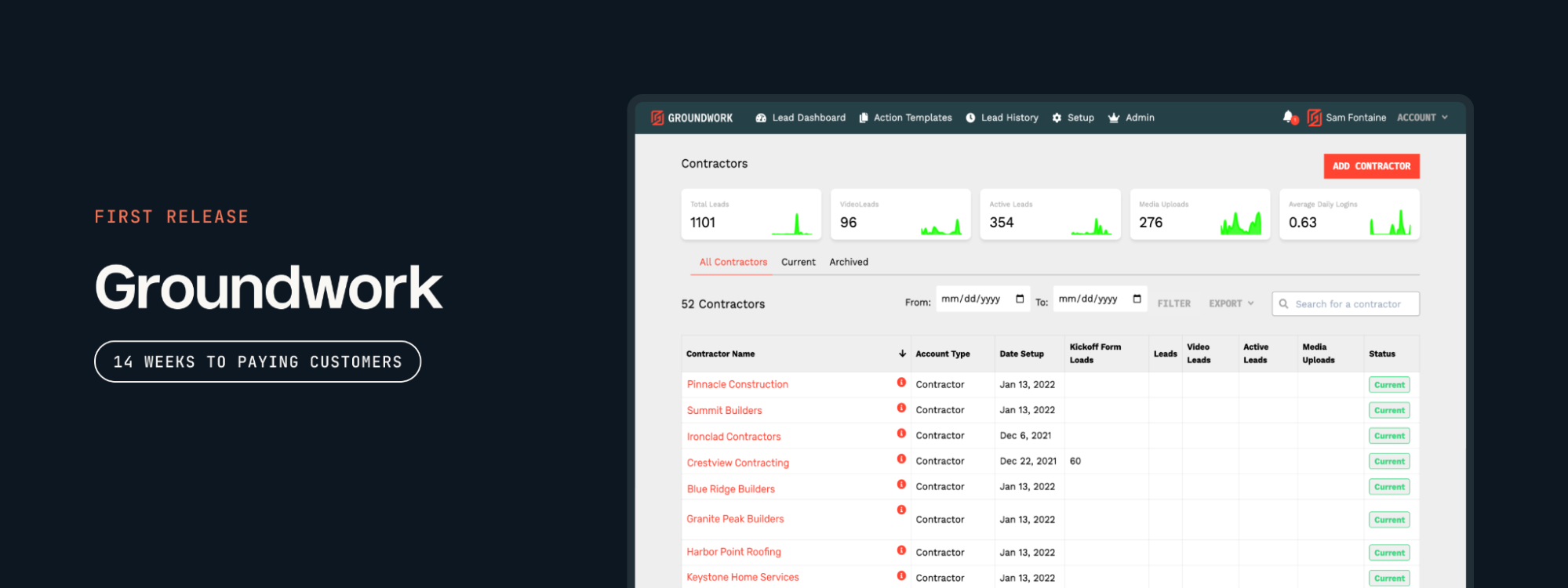
Even though Groundwork was a customer-facing product, the same approach works for internal tools. Start with a useful first release instead of committing to every feature at once. Then expect more feedback once employees use working software, since a prototype shows how the tool should work but not how it holds up under real conditions.
4. Build in stages with regular progress reviews
Once the first release is agreed on, development should move forward in short stages with regular check-ins. You shouldn’t go months without seeing progress or hearing where the project stands.
This is a huge point of emphasis at Twin Sun. Every build has a delivery lead who plans the work, sets the roadmap and release dates, and keeps the project aligned with what was agreed at the start. We aim to give clients access to working software early, often within the first week or two, so they can see progress and provide feedback as development continues.
Our weekly progress reviews cover:
What was completed. The team should demonstrate completed functionality in working software so you can judge whether it supports the tasks your employees need to perform.
Your feedback and requested changes. Explain what’s working and what needs adjusting. The team should clarify whether each change is covered by the agreed scope or adds work that could affect the budget or schedule.
What’s planned next. You should know what the team intends to complete before the next review. This gives you time to flag concerns and provide any information needed to keep development moving.
Budget and timeline. Review progress against the agreed budget and schedule. Discuss risks as soon as they emerge, while there’s still time to adjust priorities or the delivery plan.
When scope changes, a good partner raises it right away and lays out your options, such as moving the launch date, pushing features to a later release, or adjusting the budget. Those decisions are much easier to make early, while there’s still room to adjust.
You can see what this looks like in practice from our Tennessee Imports project. The owner needed a simple internal tool to track vehicles moving through his repair shop. We broke the project into epics, gave him working software within a week, and launched on time and on budget.
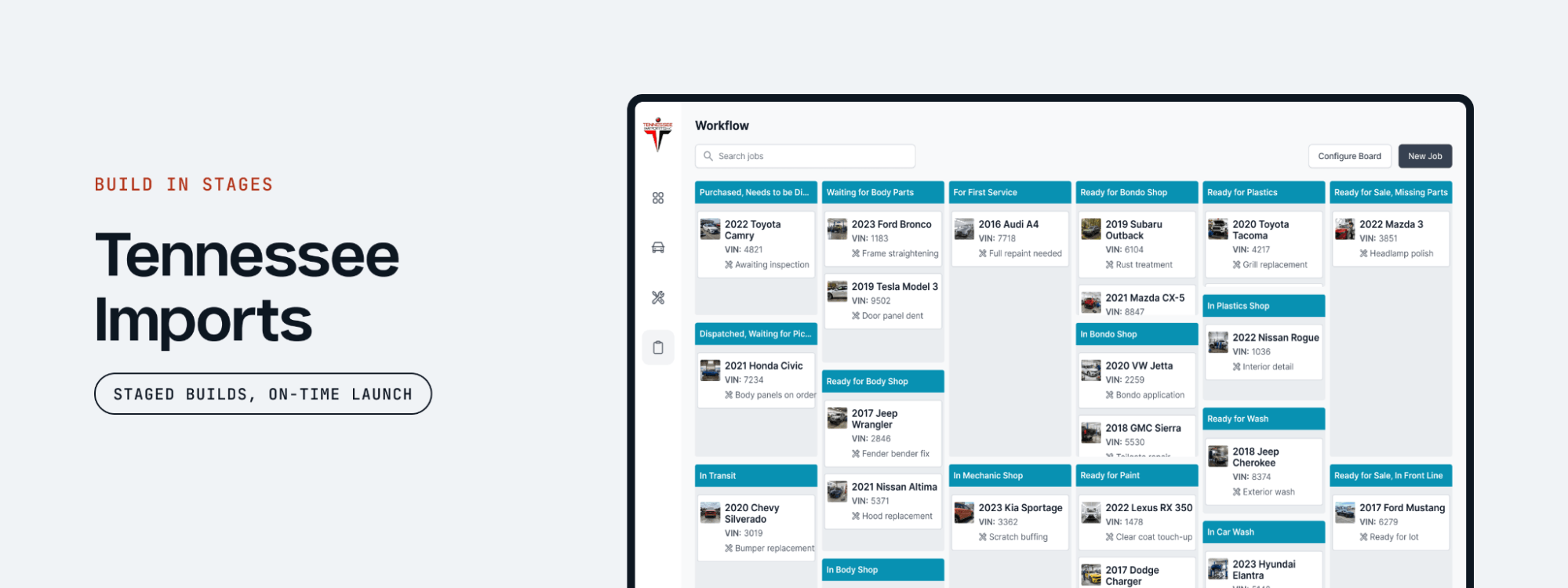
Your team also needs to make time to review builds and respond to questions. Early access is most useful when employees test the relevant tasks and explain what needs adjusting. As the agreed functionality is completed and tested, you can prepare for rollout and establish who will support the tool.
5. Roll out the tool and establish ongoing ownership
Before launch, you should agree on how employees will move from their current process to the new tool. We recommend releasing it in phases so you can address problems before your entire organization depends on it daily.
Many clients want to launch everything at once, and that’s understandable. But once they see an early release saving their team time, they usually realize they don’t need to build every feature before people start using it.
As you prepare for launch, make sure your team and development partner agree on:
How data will be migrated and the tool tested. Decide which existing records need to move, verify they transfer correctly, and test permissions and integrations before rollout. Agree on a fallback process if the new tool fails.
Who’s responsible for the tool within your business. Assign someone on your team to collect employee feedback, prioritize improvements, and coordinate with technical support.
How employees will be trained. Give employees time and support to learn the new tool through the tasks they perform every day. Field staff should practice on the devices they’ll use on the job.
How changes get requested. Set up one clear way for employees to report problems and suggest improvements. Keeping feedback in one place makes it easier to identify recurring issues and decide what to address next.
How problems get caught. Set up monitoring and alerts to help the support team catch errors, failed integrations, and performance problems early. Agree on who receives those alerts and is responsible for investigating them.
What ongoing support includes. Decide who handles bug fixes, updates, backups, and security patches, along with what that support costs. Make sure your business also has access to the code, accounts, and documentation another developer would need to take over.
When we took over maintenance for a national mosquito control company, its field teams relied on mobile apps across more than 20 states. Key stakeholders hadn’t been added to the monitoring alerts, so they often learned about server problems from frustrated drivers.
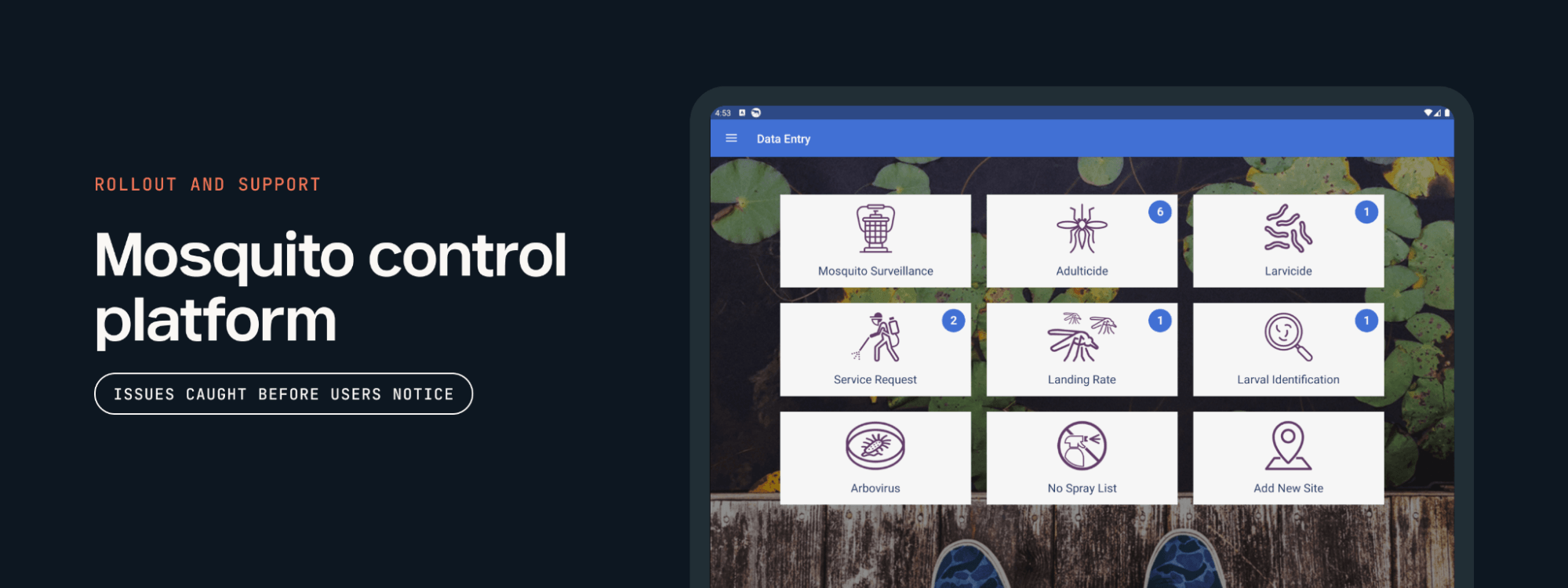
We fixed the alerts, started checking system health every morning, and began flagging issues before the client noticed them. Today, the platform is stable enough that our support agreement rarely requires active intervention.
If your team depends on software that’s become unreliable or difficult to maintain, Twin Sun can review the existing system and help you determine what support or improvements it needs. Get in touch with us today.
What to look for in an internal tools development partner
The internal tools development process we’ve outlined only works if the team running it follows through. When you’re talking with development partners, look for companies that:
Have handled situations like yours. What matters most is whether a partner has worked with your starting point, like an aging system, vendor software you’ve outgrown, or an AI prototype, not whether they’ve built your exact type of tool. You can ask them to walk you through a past project, or you can review case studies to determine whether there’s a good fit.
Communicate clearly and keep delivery moving. You shouldn’t have to chase your partner for updates or wonder where the budget stands. Look for a team that shares progress on a regular schedule, ships improvements in small, frequent releases, and flags delays or scope changes as soon as they come up, so you’re never surprised at the end of the project.
Make honest recommendations. Sometimes fixing an integration or replacing one troublesome part of a system is enough. A good partner recognizes when a smaller investment can solve the problem and explains what you would gain from spending more. For Recycle Now, other agencies had recommended a full rebuild. We fixed the platform’s performance issues in three weeks instead and cut its AWS costs by 95%.
Bring years of software development experience. You want a team that has solved a wide range of software problems and can apply those lessons to your project. The Twin Sun team has 20+ years of experience building new products, improving existing systems, and rescuing stalled projects.
Twin Sun is a Nashville-based software development company that helps businesses modernize existing systems and build custom internal tools. Contact us to discuss your current workflow, what needs to change, and what a useful first release could include.
Build an internal tool that fits your business with Twin Sun
If your team spends too much time working around its software, Twin Sun can help you figure out what needs to change. We work with businesses that need to:
Build a new internal tool. Create custom apps or software for the workflows existing products don’t support, from coordinating field teams to managing approvals and operational data.
Modernize an existing system. Improve aging software, connect systems that don’t share information, and replace functionality your business has outgrown.
Get a stalled project moving again. Assess unfinished software or an AI-built prototype, determine what can be reused, and establish a practical path to launch.
You can explore our case studies to see how we’ve helped other businesses, or contact our team to discuss your current workflow and what you want to improve.
FAQs
What are internal tools?
Internal tools, or internal apps, are software applications employees use to run a business, such as dashboards, admin panels, approval portals, and field apps. They’re built around a company’s own processes rather than for customers to use for specific tasks.
What internal tools do different departments use?
Internal tools vary by department based on the work each team handles. For instance, operations teams use dashboards and dispatch apps to manage daily workloads, while finance relies on approval portals and invoice trackers. Or support staff might use admin panels to update customer accounts, while HR relies on onboarding portals and time-off request systems.
How do you build an internal tool?
To build an internal tool, start by walking through the current process with the people who do the work. Then you should define the scope, review a prototype, build in stages with regular progress reviews, and roll out the tool with a clear owner.
How much does it cost to build an internal tool?
The cost of building an internal tool depends entirely on the scope, integrations, data migration, and security requirements. At Twin Sun, we review feature estimates with you to decide what belongs in the first release and flag technical unknowns that could affect the cost. If you have a budget in mind, we can help you prioritize the work, including what you’ll need to maintain the tool after launch.
How long does internal tools development take?
Simple tools with clear requirements can be built in a few weeks. More advanced tools that replace an existing system or connect to several other applications usually take a few months, especially when they’re released in phases.
What technology are internal tools built with?
Custom internal tools are usually web or mobile apps built on established languages and frameworks. Many use JavaScript on the front end with Node.js on the server, or Python with a framework like Django. Additionally, data typically gets stored in a relational database such as PostgreSQL or MySQL, though MongoDB can work better for data that doesn’t follow a fixed structure.
What features should an internal tool include?
Internal tools need secure authentication and appropriate access controls. Single sign-on (SSO) lets employees log in with their existing company accounts, while role-based access control (RBAC) controls what each person can view and do based on their role. Tools that handle financial or customer data should also include audit logs that record who changed what and when.